Local Network Management & Addressing
Assignment of unique identifiers for up to 16 GS4 units on the same network segment. Optimize your infrastructure with deterministic addressing and direct hardware configuration.
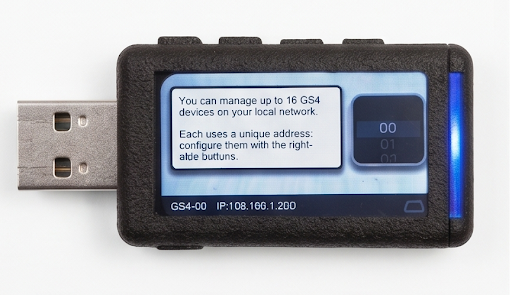
Connecting the GS4 to the local network
play_circleBelow, we detail step by step how to program your GS4 device to connect correctly to the local network.
Activate WiFi Manager
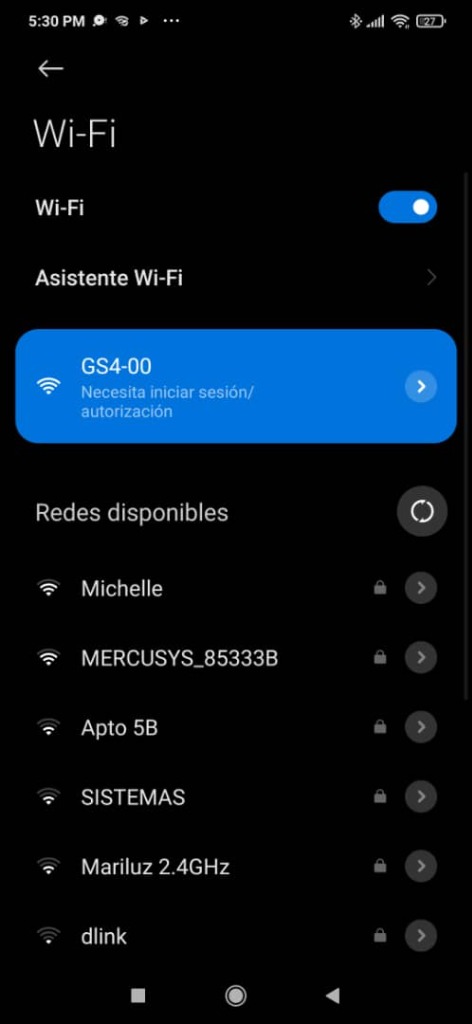
Start by pressing the 4th button from left to right (indicated with a finger on the screen). Once pressed, the side indicator will turn red. At that moment, the WiFi Manager is activated and the GS4 will appear as another router in your WiFi networks list with the name GS4-00.


Enter Credentials
When selecting the GS4-00, a dialog (captive portal) will open to enter the password and complete the process. At that moment, the GS4 will become part of your local network.

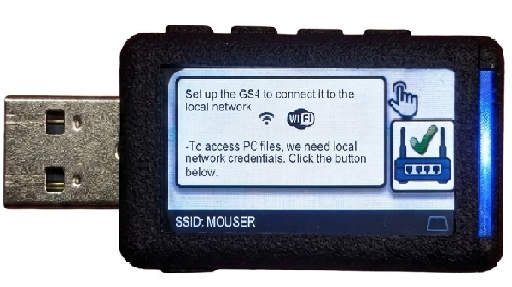
Successful Connection
This is the WiFi Manager screen. By showing the router with a green checkmark and the SSID at the bottom, it indicates that the current state of the GS4 is: connected to the MOUSER router (or to your local network).
IP Network Architecture
The system uses a unit numbering from 0 to 15, allowing each device to automatically map to one of the 16 distinct IP addresses reserved in the segment. This eliminates conflicts and ensures deterministic monitoring.
Industrial Scalability
Manage clusters of up to 16 devices simultaneously. Each unit (0-15) operates independently ensuring zero collisions on the industrial data bus.
Tactical Configuration
Use the physical side buttons to assign the unit numbering (ID 0 to 15) directly. This method guarantees accessibility even in critical systems isolated from external management software.
- check_circle Visual feedback on OLED screen
- check_circle Tactical confirmation via industrial buttons
- check_circle Configuration persistence post-reboot
Ready to scale your infrastructure?
Consult with our engineers about custom implementations and volume orders for large-scale GS4 systems.